
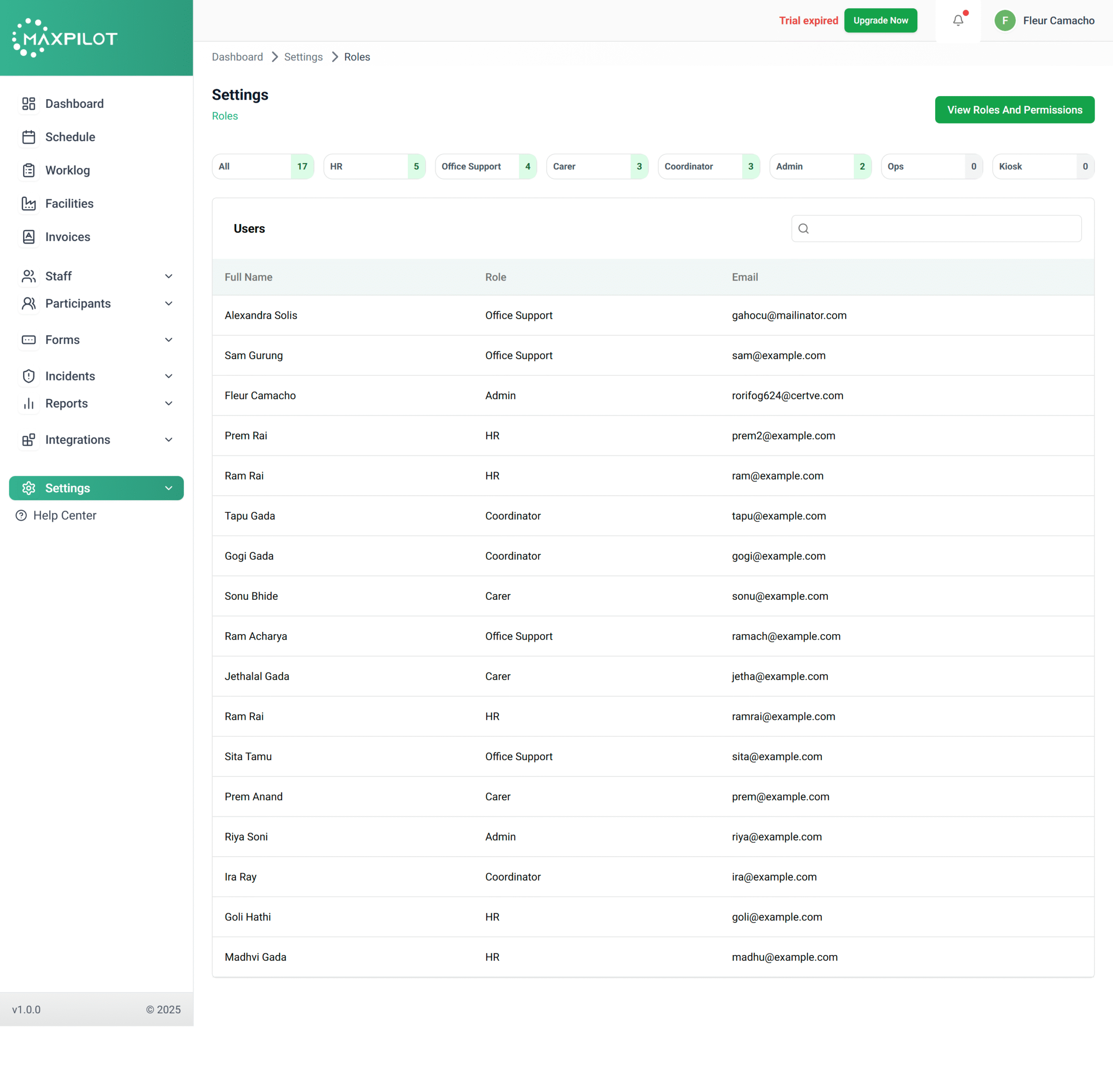
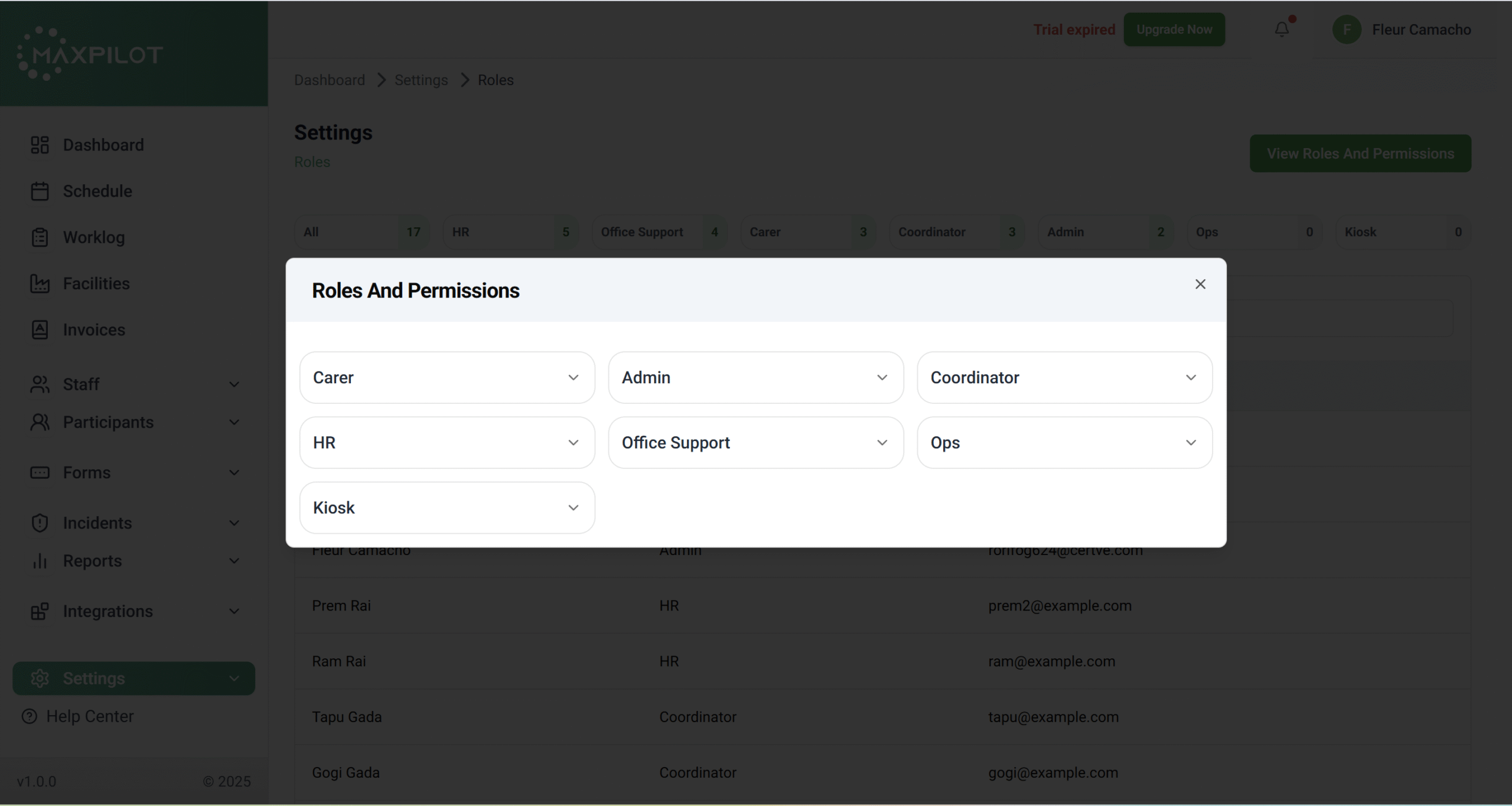
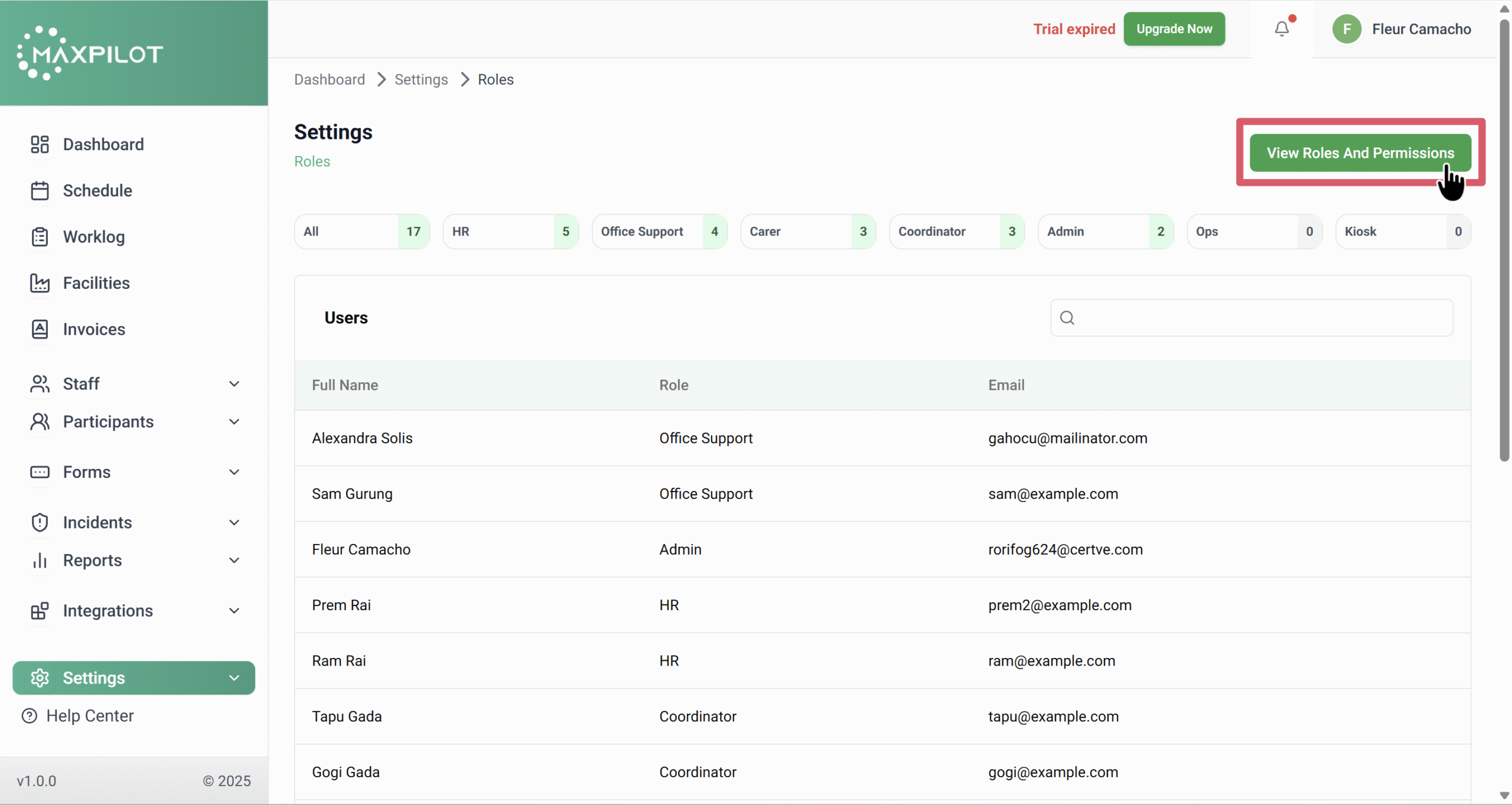
The Roles and Permissions section in MaxPilot allows administrators to define what each user can access and manage within the system. It helps maintain data privacy, restricts unauthorized actions, and ensures each user performs tasks relevant to their responsibility.
Below is a breakdown of all available roles and what each one can do in the system.
👑 Admin
Role Purpose:
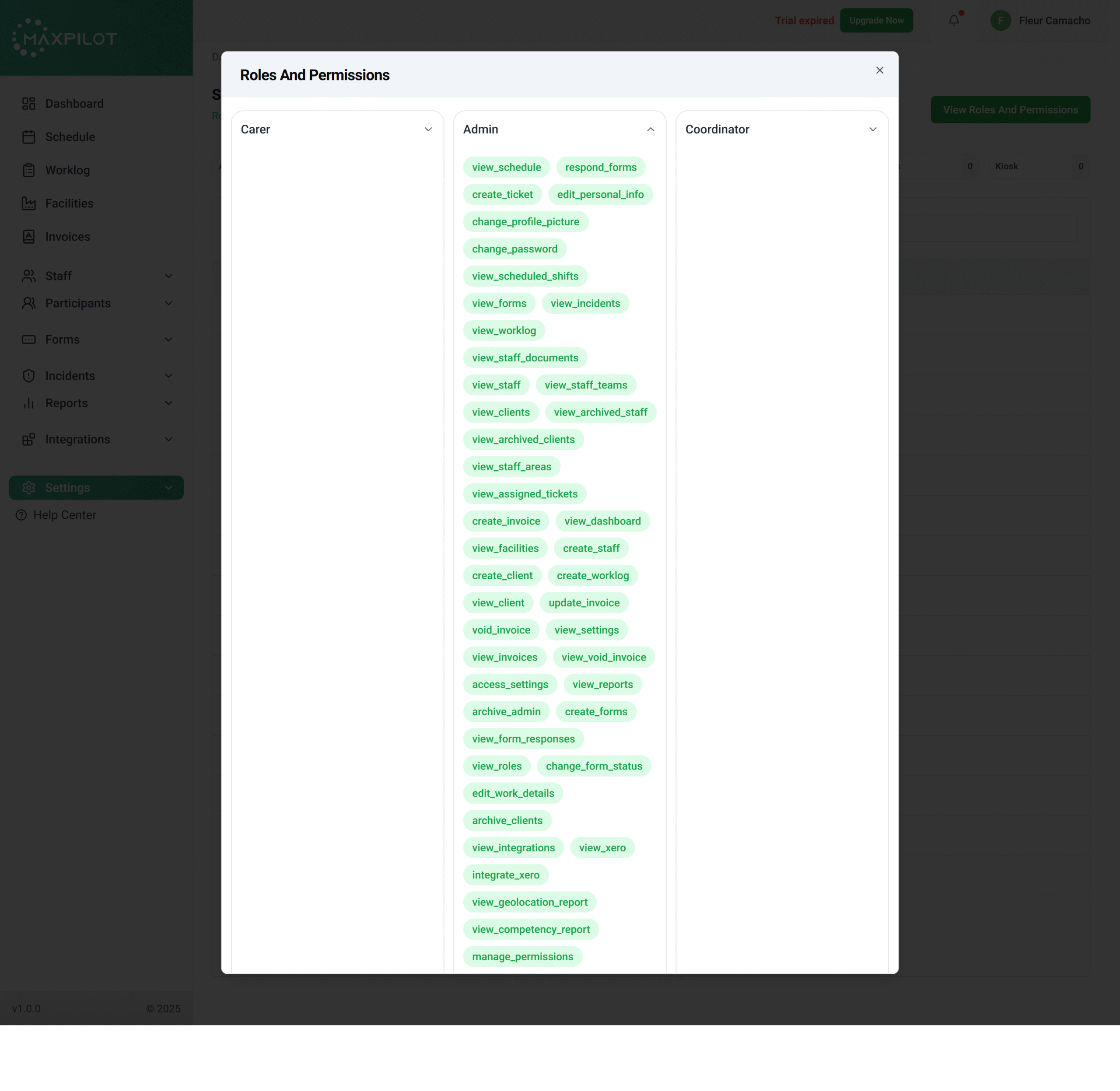
Admins have the highest level of control. They can view, create, edit, and delete almost all records within the system.
Permissions Include:
In short, Admins control everything from assigning tickets and generating invoices to managing user access and system permissions.
🧍♀️ Carer
Role Purpose:
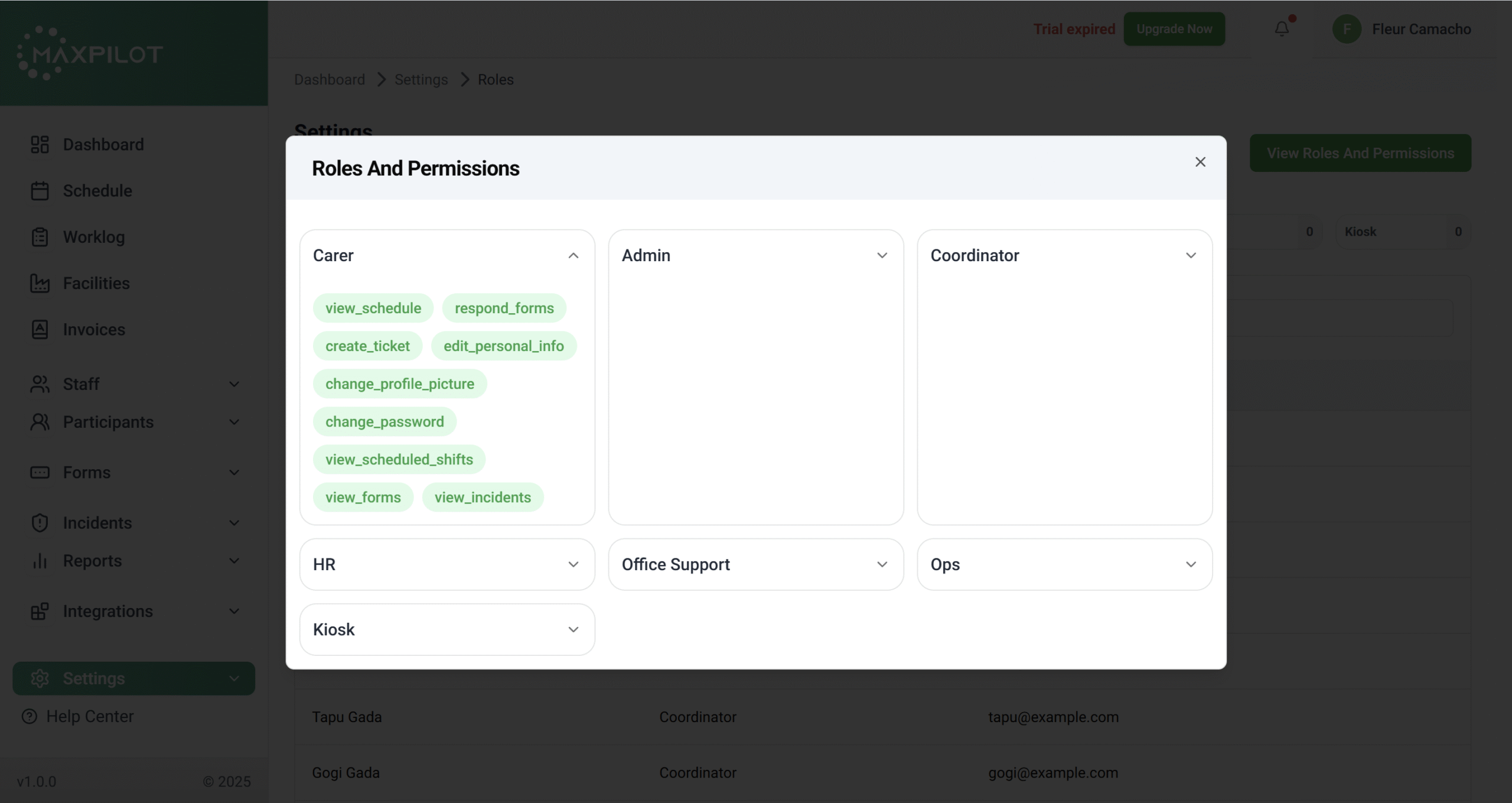
Carers are the front-line staff members responsible for attending to clients or participants. Their permissions are limited to their own activities and assigned forms.
Permissions Include:
Carers can only see information related to their assigned shifts and participants, keeping their access streamlined.
🧩 Coordinator
Role Purpose:
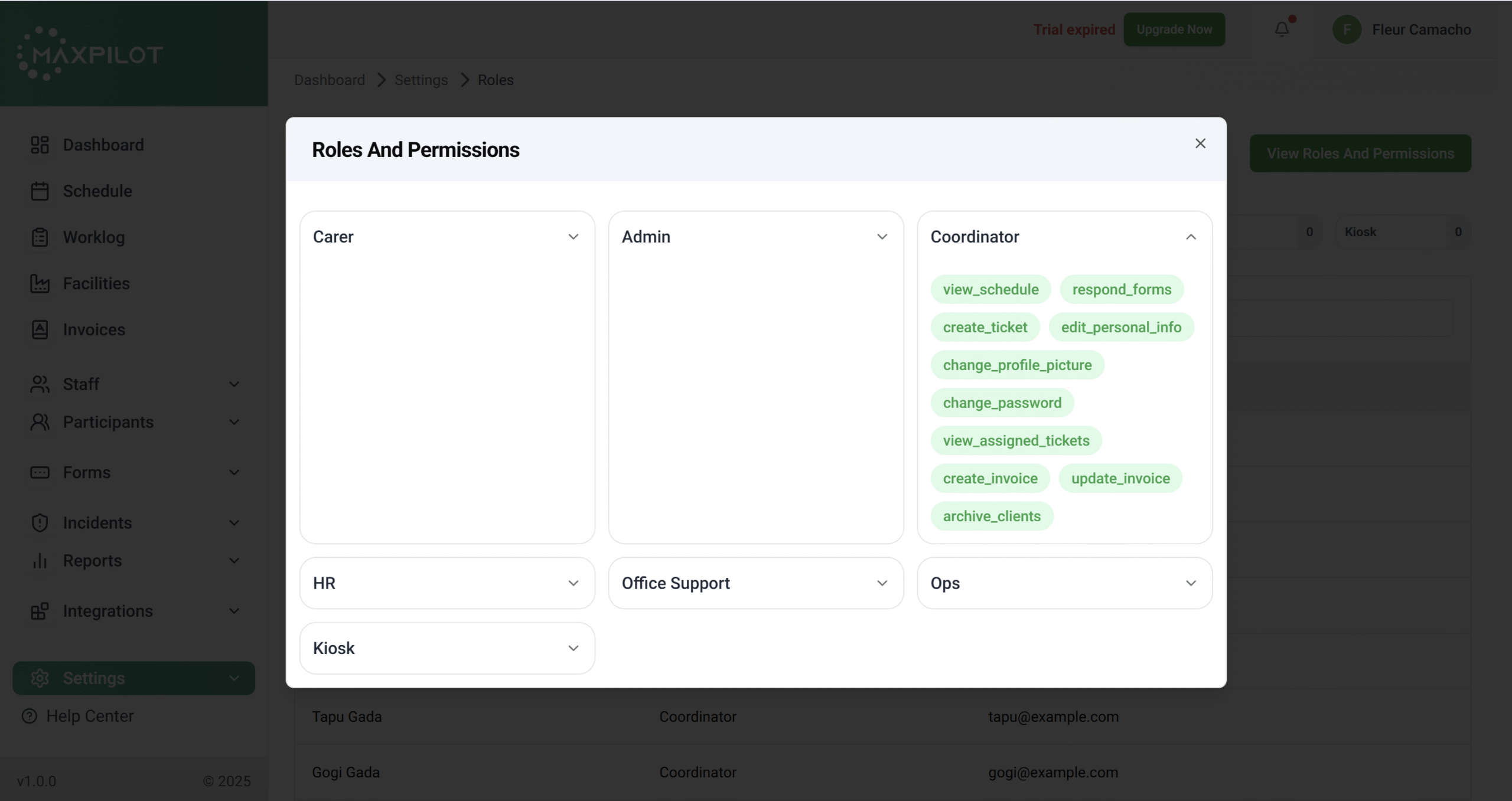
Coordinators act as middle management, overseeing shift assignments and communication between carers, HR, and admin.
Permissions Include:
Coordinators bridge administrative and operational levels—ensuring invoices, shifts, and reports are properly managed.
💼 HR
Role Purpose:
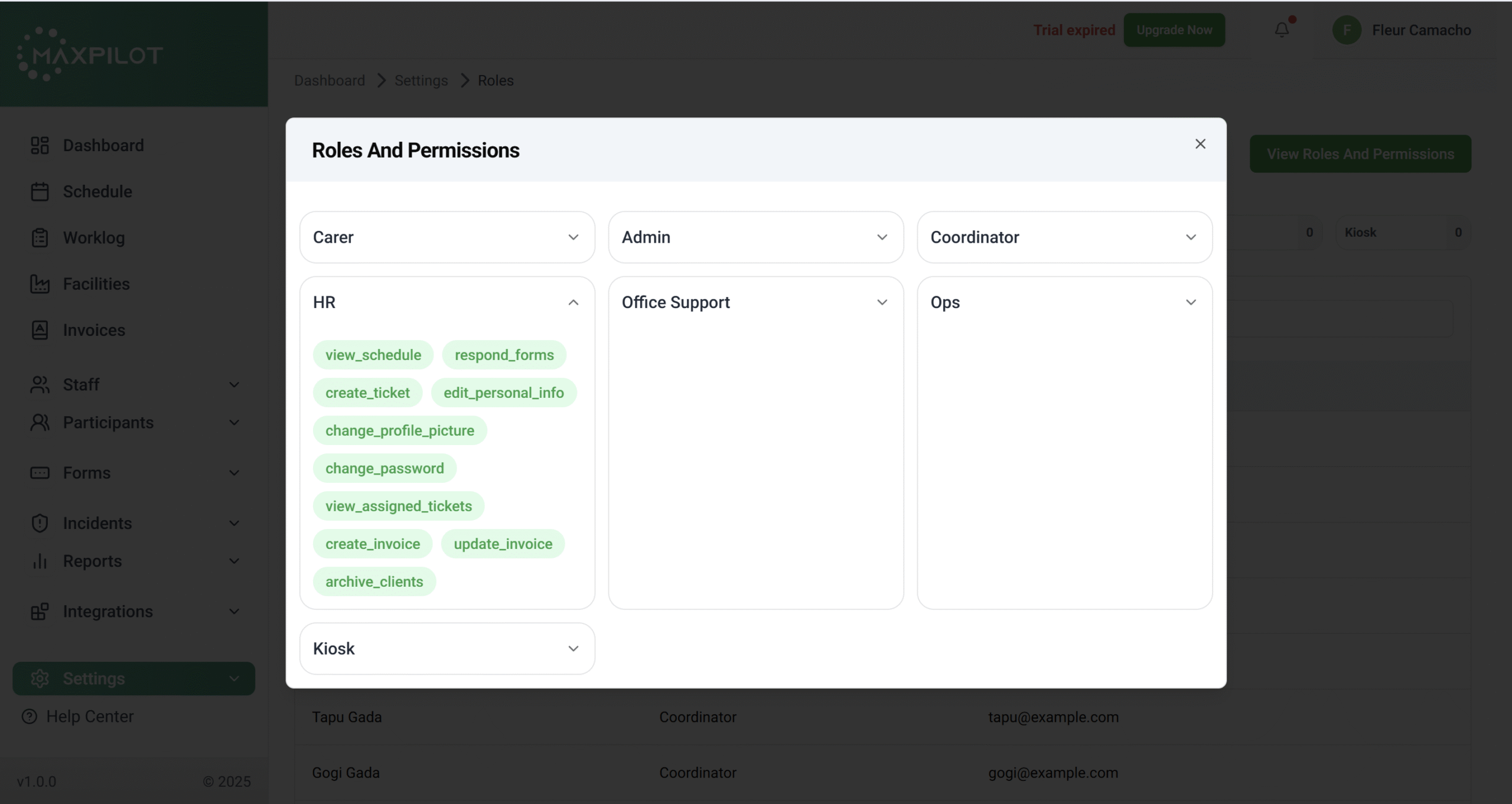
The HR role manages the workforce aspects of the system—particularly related to scheduling, tickets, and client invoicing.
Permissions Include:
Essentially, HR handles staff scheduling, ticket follow-ups, and financial coordination within their team scope.
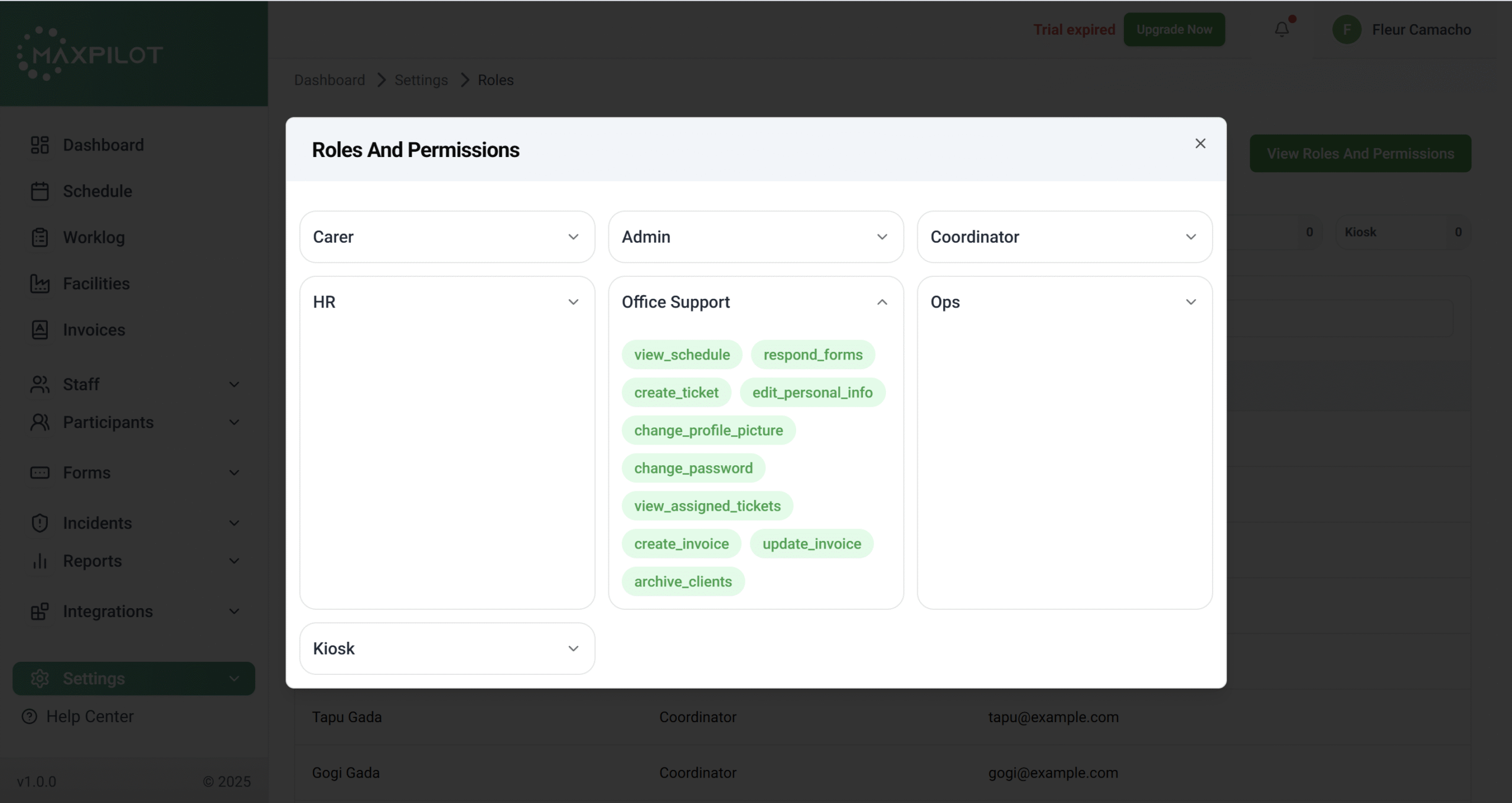
🏢 Office Support
Role Purpose:
This role is designed for internal administrative staff who handle general support and documentation.
Permissions Include:
They ensure that staff records and documents are maintained accurately in the system.
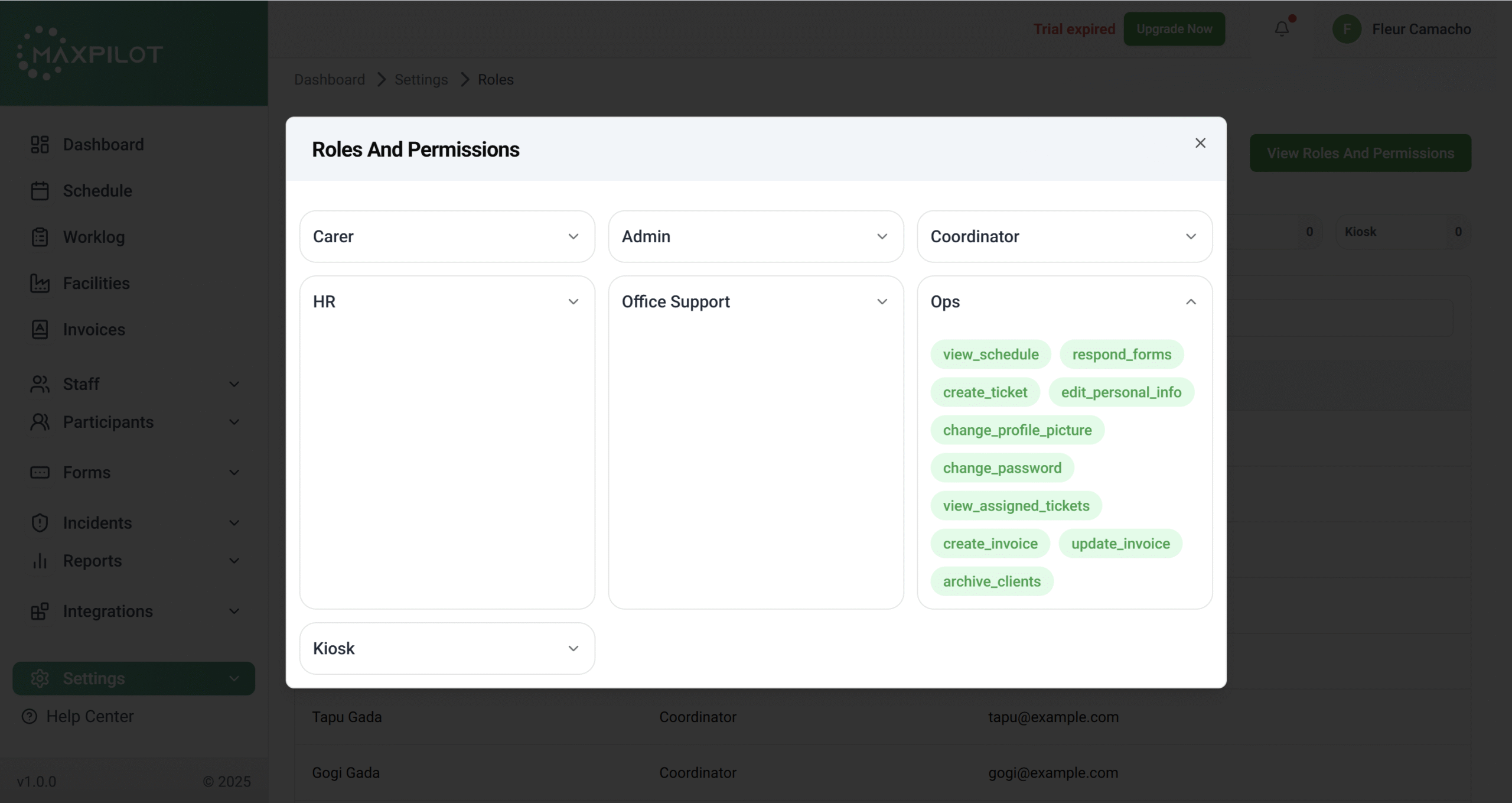
⚙️ Ops (Operations)
Role Purpose:
The Ops role supports backend operations such as scheduling and invoicing while having permissions similar to Coordinators.
Permissions Include:
Ops users ensure smooth workflow execution, handling operational tasks that connect HR, staff, and coordination activities.
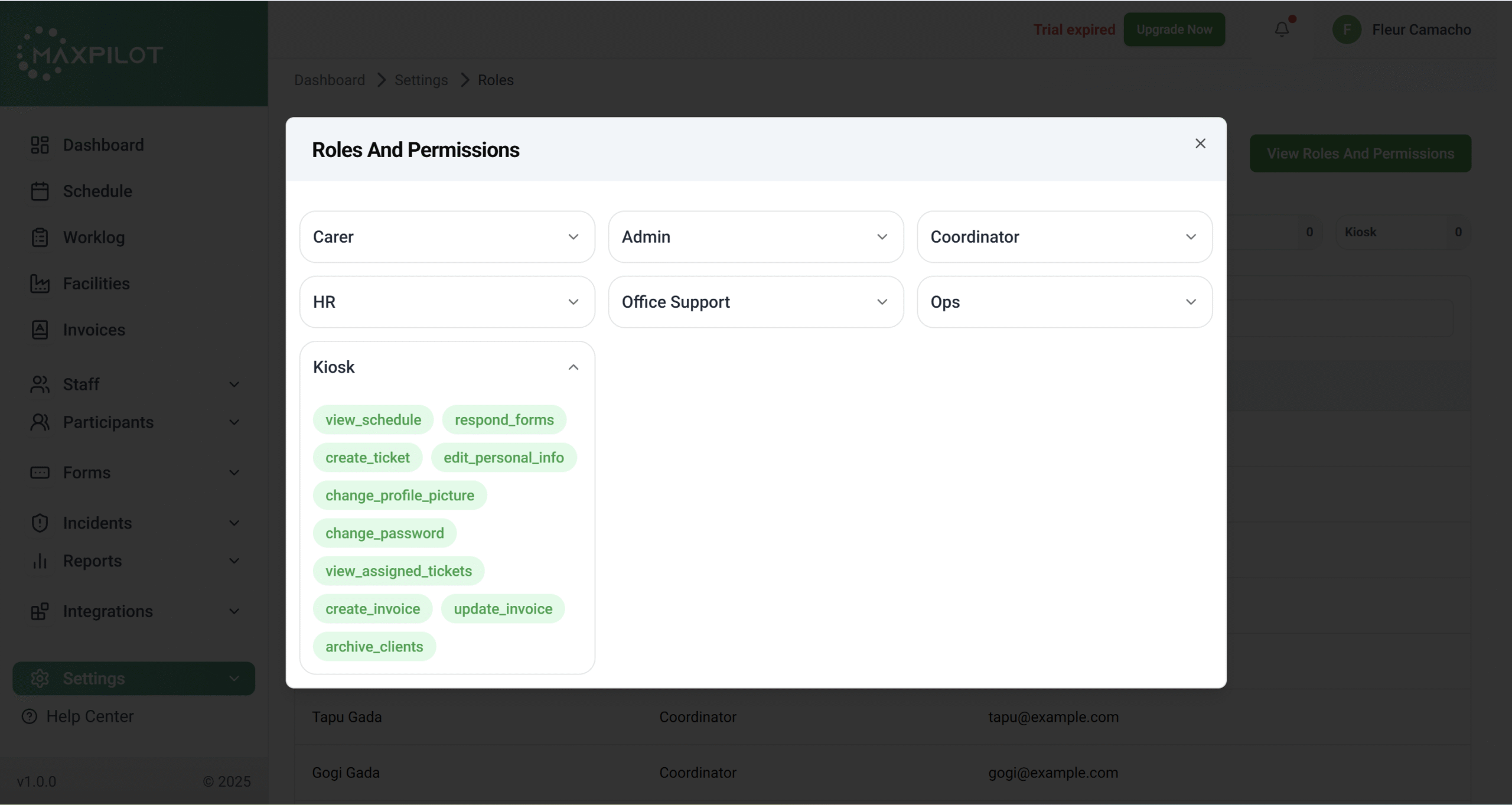
💻 Kiosk
Role Purpose:
Kiosk users are designed for minimal system interaction, mainly for viewing and performing basic actions.
Permissions Include:
The kiosk role fits shared terminals or limited-access workstations where only essential interactions are needed.
By assigning the right roles, MaxPilot ensures efficient collaboration and data protection across your organization.
Each role’s permissions are carefully designed to balance flexibility with security, allowing your team to work smarter and faster.